Designing the UI for Escape Velocity posed many unique challenges due to being a part of the Obsidian Bay experience. Obsidian Bay is a new entertainment project that has players use physical prop guns to play games on a massive projected screen. I had the opportunity to intern at Striker Arena, the company behind Obsidian Bay, and work on Escape Velocity, an on rails shooter where two players must work together to escape from an alien spaceship utilizing limited ammo. One other key gameplay feature is that if both players shoot a button on the UI, it will activate a shield protecting them from all damage for a short period of time.
Designing For a 20ft Screen
Initially when the project started another designer was working on the UI. However, early on they were moved to work on another project, so I took over working on it. To fully understand some of the decisions I made it is important to understand some of the aspects of the initial design and what I found worked and did not work about it. For this first design the other designer had put player one’s ammo counter up in the top left corner of the screen, with player two’s being mirrored to the top right. The score was in the top middle of the screen. The buttons to shoot activating the shield were in the bottom middle of the screen.
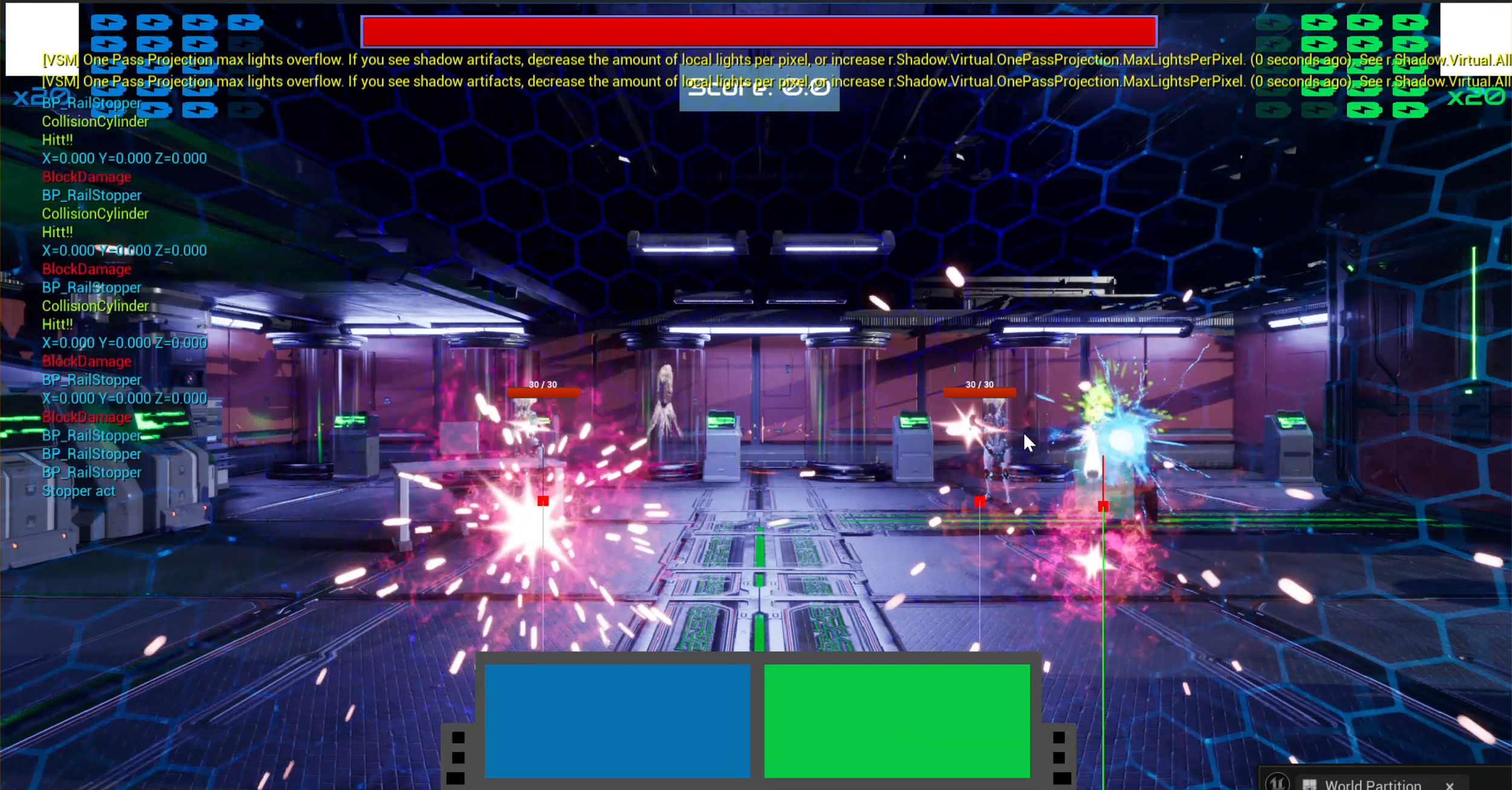
When looking at this design on a normal sized monitor it works decently, with the only thing that I would change being that traditionally ammo counters in first person shooter games are in the bottom corners of the screen, but besides that the UI was perfectly usable. That was until it was blown up to a 20-foot screen where the physical space between the elements meant that players would have to physically move their heads so much to try to see the different elements that it would be impossible for most players to keep track of.
Initial UI Design
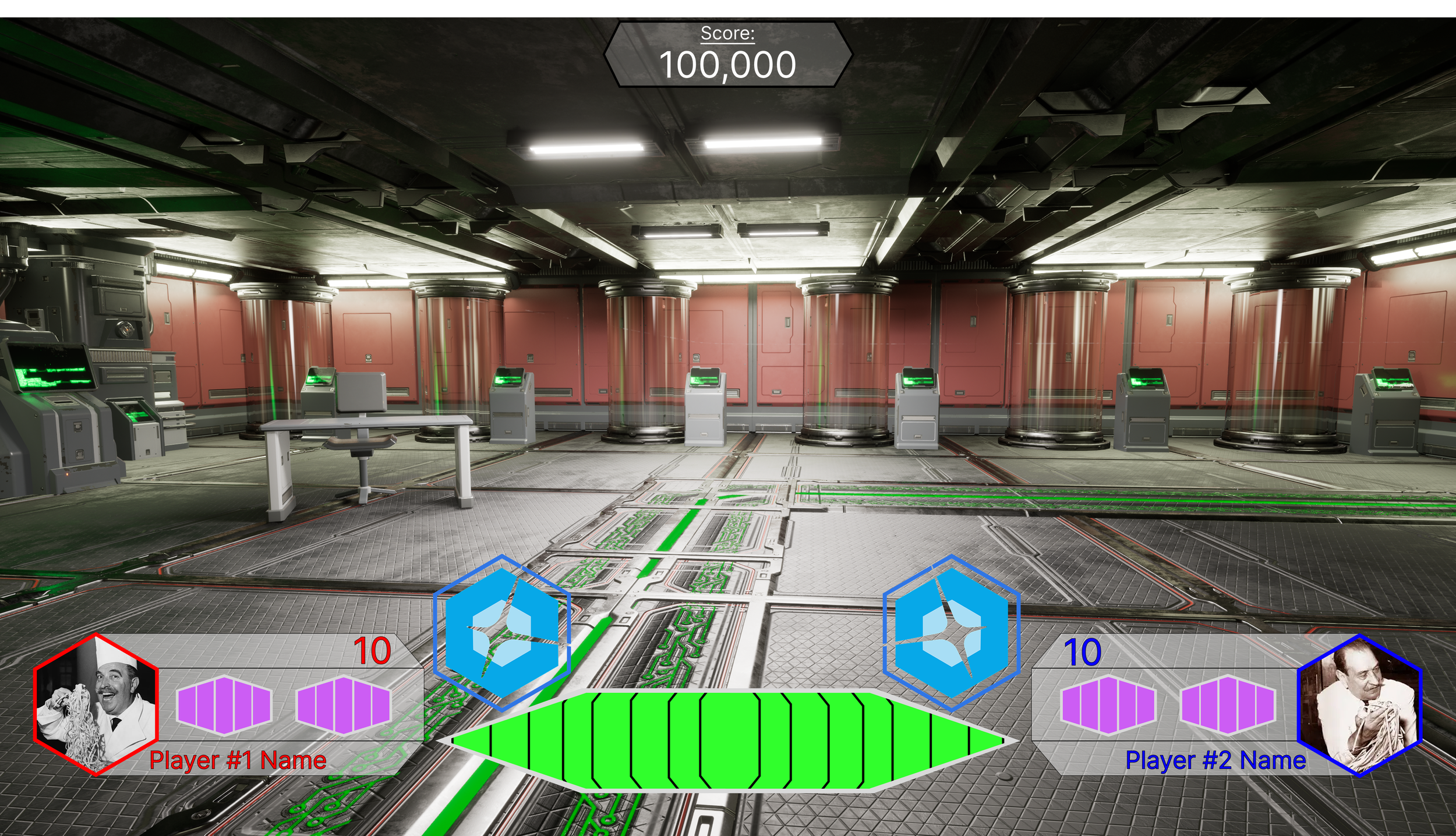
When I took over the first thing I did was move the ammo counters from the top corners to the bottom corners. My thought process for the change was that by having the ammo counters and shield buttons on the bottom then players could look at the bottom of the screen and get all of the pertinent game information in one place where previously they would have to look at both top corners and the middle bottom to get all the information. Again, on a small screen it looks like it would work pretty well, however when we got in to test it in the actual space I quickly found out that the corners were still way to far away from the area that players were looking at during gameplay meaning that in order to get the information that they needed it would take to long.
So, for the final design I moved the ammo counters up and in, so that they sit just below where the majority of gameplay happens so that it is much easier to quickly look at.
Working on this project taught me a lot about working on UIs of different scales, and while I doubt I will work on another project where the screen is as big as this it is important to think about in all games especially as TVs get bigger and ultra-wide monitors see higher rates of adoption.
First Iteration of my Design
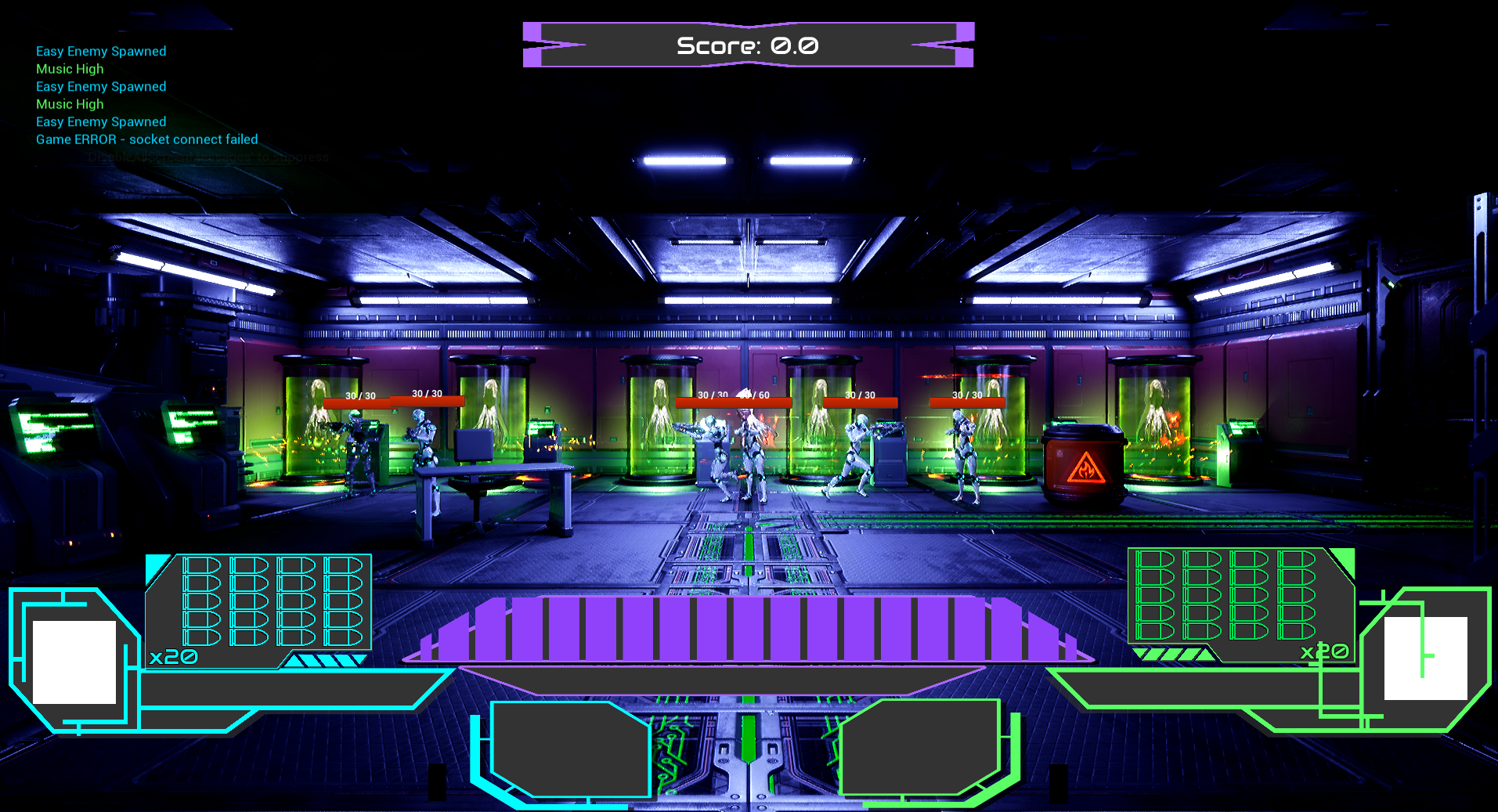
Shipped Design